
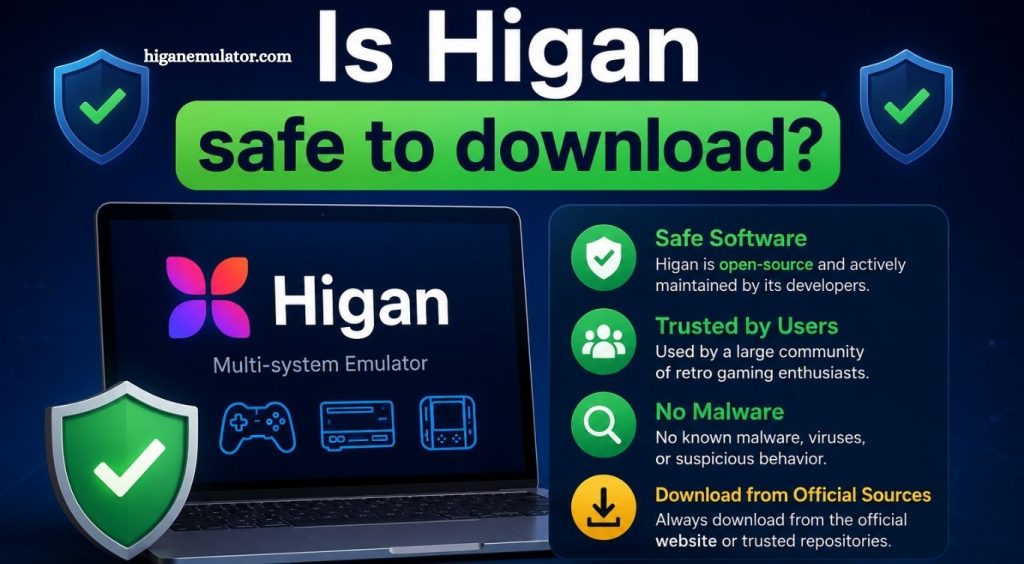
Higan is a popular multi-system emulator widely used by retro gaming enthusiasts who want to experience classic console games on modern devices. It is known for its high accuracy in replicating original hardware behavior, making it different from many other emulators that prioritize speed over precision. Because of its growing popularity, many users search for the question “Is Higan safe to download?” before installing it on their systems. This concern is valid since downloading any software from the internet always carries some level of risk, depending on the source and method of installation.
Understanding the safety of Higan requires looking beyond the software itself and focusing on where it is downloaded from, how it is installed, and how users handle additional files. While the core project is generally considered safe within the emulation community, the real security concerns come from unofficial distribution websites, modified installers, and unsafe third-party sources.
Understanding What Higan Is
Higan is an open-source emulator originally developed with a strong focus on accuracy rather than convenience. It is designed to replicate the behavior of real gaming hardware as closely as possible, which allows it to run classic games in a very authentic way. Unlike lightweight emulators that may sacrifice precision for better performance, Higan attempts to simulate each system at a deeper level, which makes it appealing for users who value preservation and authenticity.
Read More: What is the difference between Higan and bsnes?
Since it is open-source software, its code is publicly available for inspection. This transparency is an important factor in evaluating safety because it allows developers and the community to review the program for potential security issues. While this does not guarantee that every copy found online is safe, it does mean that the original project itself is widely trusted and does not have any known malicious intent.
Is Higan Safe from Malware or Viruses?
In its official form, Higan is generally considered safe to download and use. The emulator itself does not contain malware, spyware, or harmful background processes. However, the safety concern arises when users download it from unofficial websites that repack or modify the original files.
These third-party sources sometimes bundle additional software with the installer, such as adware, browser extensions, or unwanted programs. In some cases, more serious threats like trojans or malicious scripts can also be attached to fake versions of popular emulators. This is why cybersecurity experts always recommend downloading open-source tools like Higan only from trusted repositories or official developer pages.
Another important point is that antivirus software may occasionally flag emulator files as suspicious, even when they are safe. This usually happens because emulators interact closely with system hardware or use low-level programming techniques that resemble behavior sometimes associated with malware. These warnings are often false positives, but users should still verify the source before ignoring them.
Importance of Download Source Authenticity
The biggest factor determining whether Higan is safe is the authenticity of the download source. If the software is obtained directly from the official project repository or a well-known open-source platform, it is typically safe to install. These sources provide clean builds that match the original code created by the developers.
On the other hand, downloading Higan from random websites, file-sharing platforms, or unknown forums increases the risk of encountering modified versions. These altered copies may look identical to the original but can include hidden components that compromise system security. Users often fall into this risk when searching for “quick download” links without verifying the legitimacy of the website.
Authenticity also extends to updates. Even if the initial installation is safe, downloading unofficial updates later can introduce vulnerabilities. Keeping the software updated through trusted channels ensures that security patches and improvements are applied correctly.
System Safety Practices While Using Higan
Even when Higan is downloaded safely, users still need to follow basic security practices to maintain system protection. Running any emulator involves executing external files, and this process should always be done cautiously.
A clean antivirus scan before installation is a good first step. This helps ensure that the downloaded file has not been altered or infected during transfer. Additionally, keeping the operating system updated reduces the chances of compatibility issues or security vulnerabilities being exploited by malicious software.
Users should also avoid running unknown executable files alongside the emulator. Some compromised downloads may include additional installers that attempt to run automatically during setup. Carefully reviewing installation steps helps prevent unwanted software from being installed.
Relationship Between Higan and Game Files
Another important aspect of safety involves game ROM files used with Higan. While the emulator itself may be safe, ROM files downloaded from untrusted sources can carry risks. These files may contain malware disguised as game data or lead to unsafe websites that prompt downloads of harmful content.
It is important to understand that Higan does not provide games by default. Users must supply their own game files, which increases responsibility for ensuring those files are obtained legally and safely. Using trusted and verified sources for game backups is essential for maintaining overall system security.
Performance and Security Balance
Higan’s design focuses heavily on accuracy, which means it may require more system resources compared to other emulators. This does not affect safety directly, but it is relevant to user experience. Some users mistakenly associate high CPU usage or system load with malicious activity, but in Higan’s case, this is simply due to its detailed emulation process.
Security-wise, higher resource usage does not indicate risk. Instead, it reflects the emulator’s attempt to replicate original hardware behavior as closely as possible. Understanding this distinction helps users avoid unnecessary concerns while using the software.
Community Trust and Open-Source Reliability
The emulation community has generally maintained trust in Higan due to its transparent development model. Open-source projects benefit from community oversight, meaning many developers contribute to identifying and fixing issues over time. This collaborative environment reduces the likelihood of hidden malicious code remaining in the official version.
However, community trust should not replace personal caution. Even widely respected software can become risky if downloaded from compromised sources. This is why experienced users always emphasize verifying file integrity and sticking to official distribution channels.
Frequently Asked Questions
Is Higan safe to download on PC?
Yes, Higan is safe when downloaded from official or trusted open-source sources. Risks appear only with unofficial websites.
Does Higan contain viruses or malware?
No, the original Higan emulator does not contain viruses or malware. Unsafe copies may exist on third-party sites.
Where should I download Higan safely?
Higan should always be downloaded from official developer repositories or well-known open-source platforms to ensure file integrity.
Can antivirus software detect Higan as a threat?
Sometimes antivirus programs may show false alerts due to emulator behavior, but the official version is not harmful.
Is Higan legal to use?
Higan itself is legal, but legality depends on how game ROMs are obtained and used with the emulator.
Can Higan harm my computer?
The emulator itself will not harm your system if installed correctly from a safe source. Risks come from modified downloads.
Do I need internet access to use Higan?
No, Higan works offline after installation, butthe internet may be needed for downloading updates or game files.
Conclusion
Higan is a reliable and safe emulator when it is downloaded from official or trusted sources. The software itself is not harmful and is widely respected in the retro gaming community for its accuracy and open-source nature. Most safety concerns are not linked to the emulator itself but instead arise from unofficial websites, modified installers, and unsafe third-party downloads.